
Thinking With Decks
How card-based toolkits help me sharpen my writing, research instruments and leadership tactics

I keep a few card decks within reach of my desk. I have found that gamifying work tasks helps me think on demand, especially when my brain is threatening to go into standby mode.
A good card-based toolkit turns fuzzy problems into concrete prompts (and not the AI kind). It reduces the blank-page effect and introduces just enough productive randomness when my thinking is stuck looping over the same two options. The physical format matters more than you’d expect: one card, one idea; no scrolling, no tabs, no “I’ll just check one more thing”.
Over the past couple of years, three decks have earned a permanent place in my rotation:
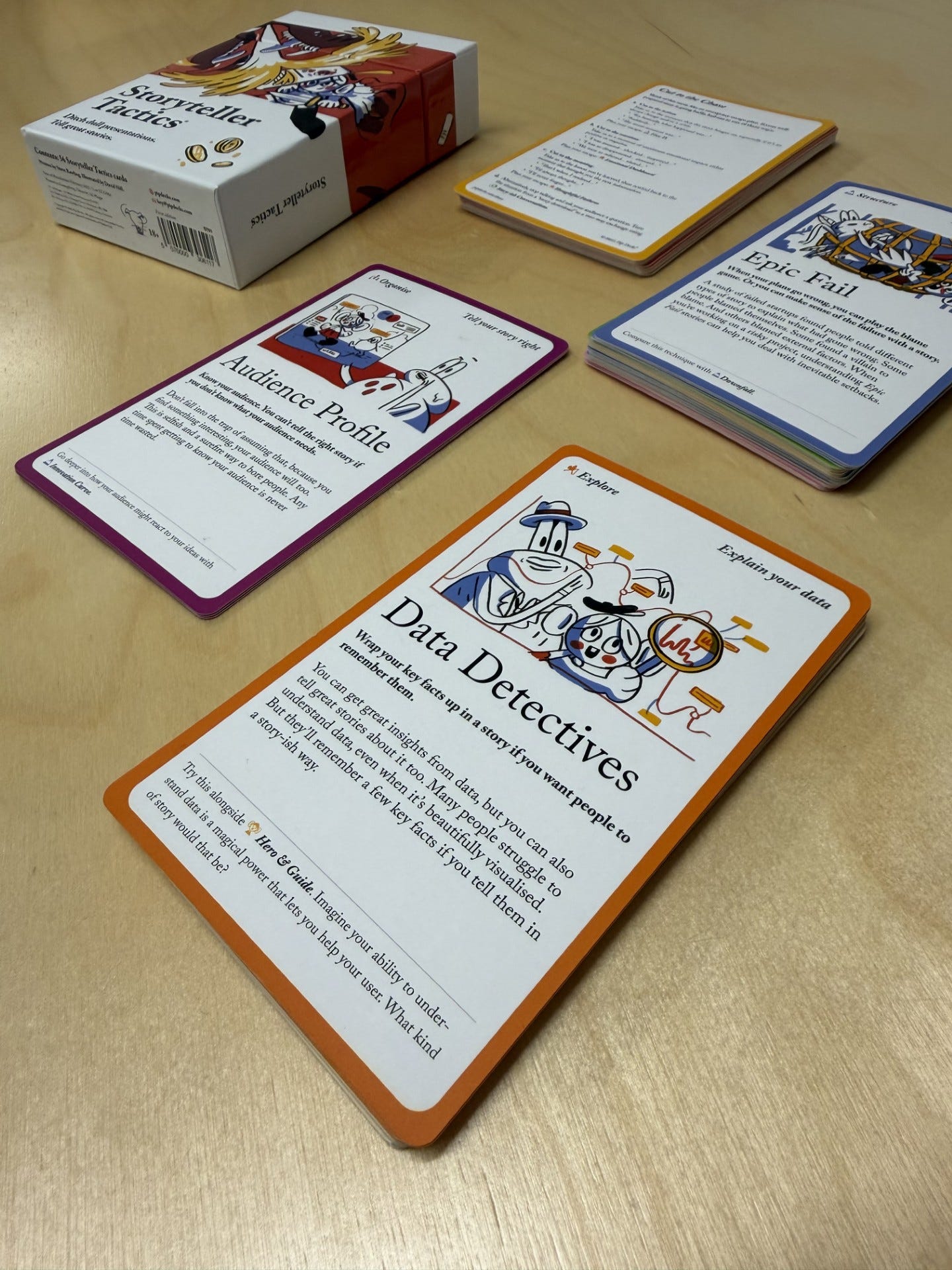
Storyteller Tactics: a deck of 54 storytelling frameworks, prompts and exercises for crafting and structuring narratives about your work.
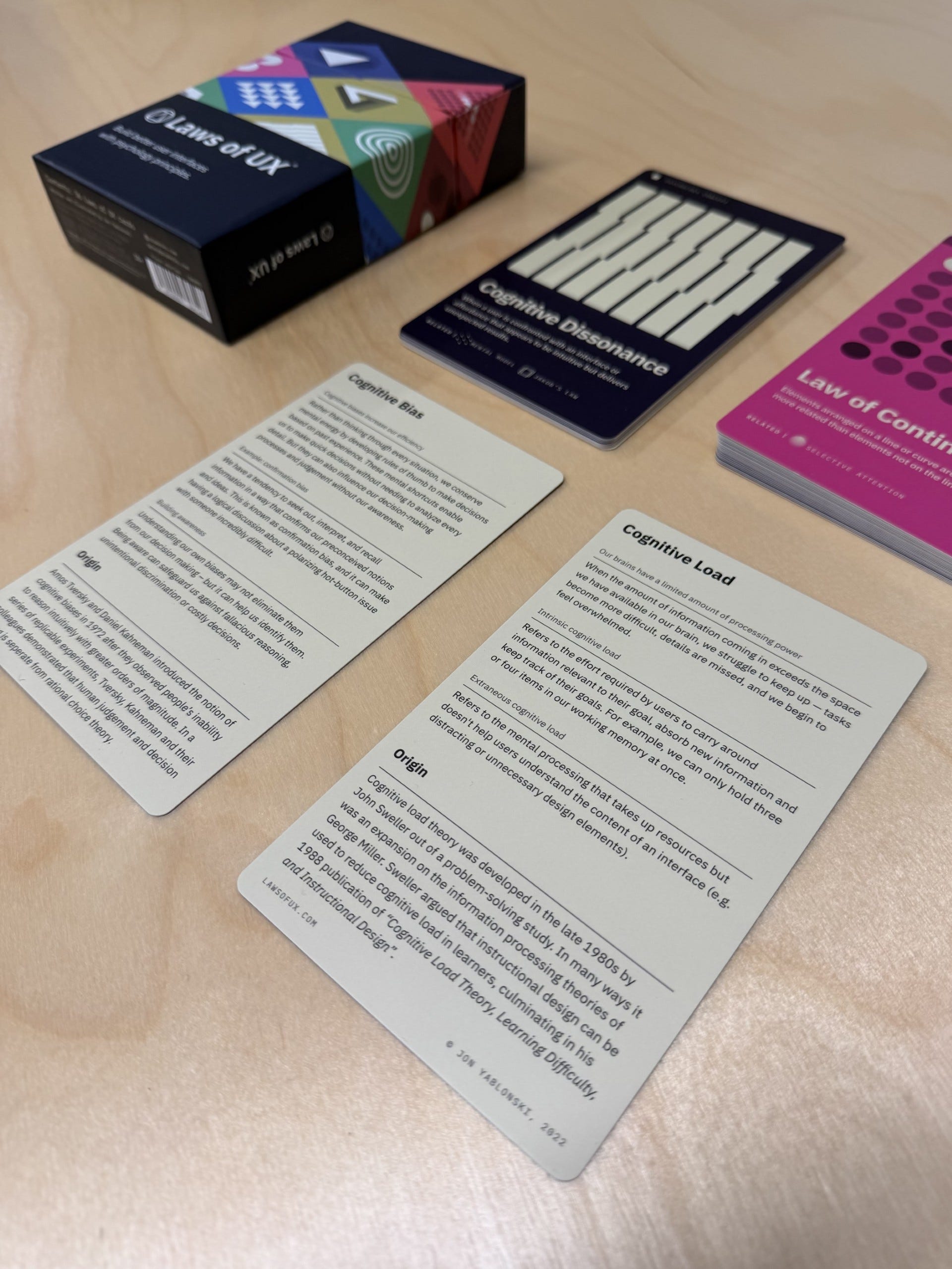
Laws of UX Cards: a deck of 54 psychological principles and UX methods to help you design and justify interfaces and get buy-in from stakeholders.
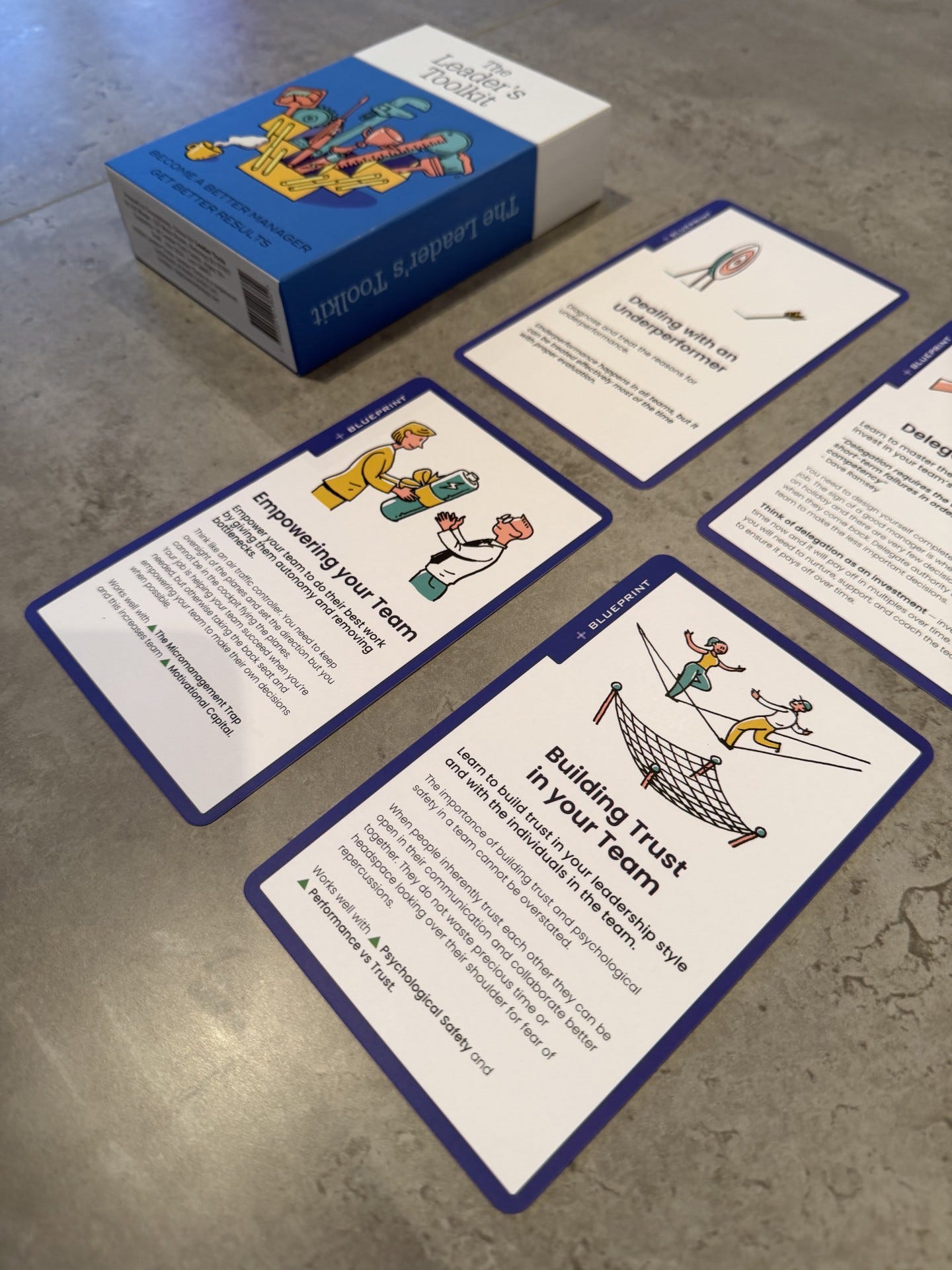
The Leader’s Toolkit: 50+ actionable leadership cards with step-by-step guidance, conversation starters and blueprints for common management challenges.
In this article, I’ll describe how I use each of these decks in practice. I’ll also go deeper on The Leader’s Toolkit, because it’s the one that feels most aligned with the day-to-day reality of my current role.
What Card-Based Tools Are Really Doing
Most of us already have “tools” for thinking: books, frameworks, templates, checklists, blog posts, favourite threads, half-remembered mental models. The problem for me personally is accessibility. When I need help now, my best thinking tools can be hard to retrieve as my mind tends to be already buzzing with other things.
A well-designed deck solves three problems at once:
Retrieval: it makes good prompts easy to find (or to stumble upon).
Constraint: it narrows your attention to one move at a time.
Translation: it converts “theory” into “what do I do next?” language.
Used well, decks are a very lightweight bridge between learning and action. Used badly, they are just clutter. The difference between these two scenarios is whether you manage to build some rituals around your decks: a moment or type of situation where you regularly consider consulting a deck, rather than doing so as a one-off novelty after receiving it.
Now, as promised, let’s explore how I use my decks.
Storyteller Tactics: A Deck To Move From Data Points To Stories
Storyteller Tactics is a deck of frameworks, prompts and exercises designed to help you craft effective stories about pretty much every facet of your work. It’s structured around a “story building system” that helps you choose an appropriate category of tactics; each card suggests what to do before and after so you can move through a sequence without getting stuck.
This deck treats storytelling as a set of practical moves rather than a mysterious talent (which is painfully common!). If you work in any field where you need to persuade, teach, pitch, report or align people, you are already telling stories, and Storyteller Tactics simply gives you handles.
I found the deck so useful that it became the seed of something I wanted for my own work: a broader, more automated version that could adapt to different contexts and outputs. That’s what led me to building The Storytelling Pro custom GPT, which is available to my paid subscribers (built from my own materials, separate from Pip Decks). The idea is not “AI writes your story,” but “AI helps you choose a strong narrative, stress-test it and generate options you can edit with taste”.
If Storyteller Tactics is a beautifully curated physical prompt library, Storytelling Pro is my attempt to turn that into a responsive assistant that can work across formats (slides, reports, newsletters, complex stakeholder emails) and domains.
Laws of UX Cards: A Deck To Engage People Effectively
The Laws of UX cards are a deck of psychological principles that help you design and justify your user interfaces, support stakeholder buy-in and empower design teams.
Even if you never touch Figma, you might still design experiences. You might design forms, onboarding, teaching materials, dashboards, slide decks, internal processes and decision flows. The Laws of UX deck gives you language for why something is confusing or friction-heavy, and what kinds of changes usually improve it.
For example, before I send a survey out, I run a quick “UX sanity check”. I’m aiming to catch avoidable mistakes that lead to low completion rates or messy answers. A simple card-guided review might include prompts like:
Where am I forcing a complicated decision when I could break it into steps?
Where does the layout create unnecessary cognitive load?
Could any of my questions inadvertently introduce bias?
This is where the deck earns its keep: it makes quality control easier, because it reminds you what to look for. And it’s a lot more engaging than reading yet another generic listicle about “best practices”.
Some of the areas explored in this deck that are applicable to the design of surveys, interviews and group exercises are covered in my course.
The Leader’s Toolkit: A Deck To Improve How You Manage And Lead Others
The Leader’s Toolkit is a deck of actionable leadership cards designed for day-to-day management. Each card includes step-by-step guidance and conversation starters you can use across your leadership practice.
What I like about this deck is that it doesn’t assume you have the luxury of a big intervention. It’s built for the reality of leadership as small, repeated moments: clarifying expectations, delegating properly and having slightly uncomfortable conversations before they become properly uncomfortable.
The deck also includes “blueprints” (a kind of guided diagnostic) that point you towards relevant tools. Let’s see what this means in practice in the next section.
A Concrete Use Case: Empowering Your Team Without Sliding Into Micromanagement
One of the blueprints is titled “Empowering your team” (see image below) and it starts with an uncomfortable but common question: Are you a bottleneck in the decision process? The blueprint then prompts you to look at causes and responses: expectations, training/resources, ownership, delegation with authority and how you respond when someone brings you a problem.
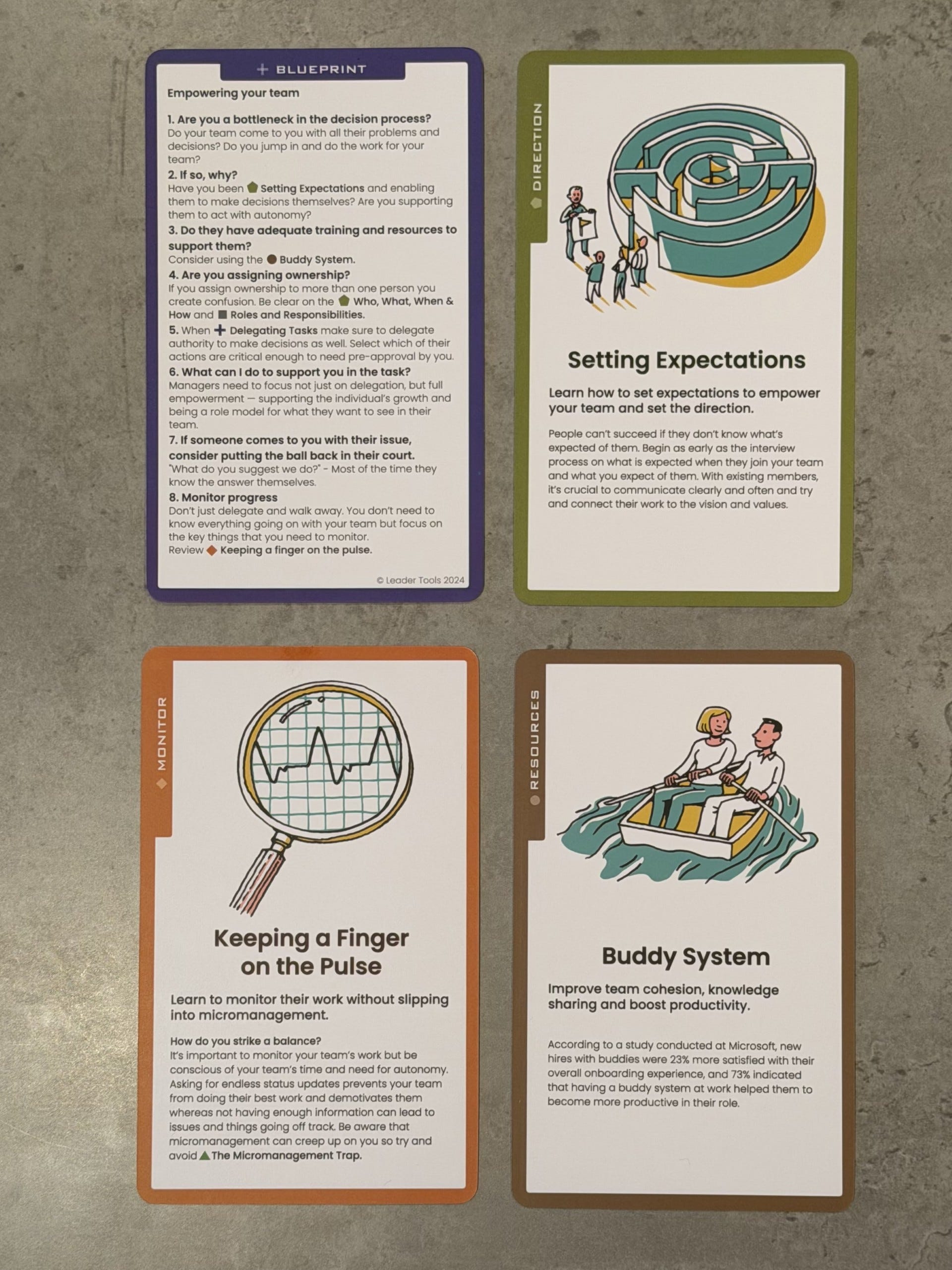
From that blueprint, the three supporting cards in the image above can be used as a practical mini-sequence:
Setting Expectations (Direction card)
This card focuses on making success explicit: what “good” looks like, how work connects to goals and what you expect from someone in the role or task. In practice, I use this in two places:
Onboarding/handover: to prevent people guessing what matters.
Project start: to agree scope, constraints and decision rights before the work begins.
Buddy System (Resources card)
This card encourages pairing people so knowledge transfer and confidence build faster. In the image, it’s framed as an onboarding and productivity support mechanism, which matches how I use it: assigning a buddy is a low-friction way to reduce hesitation like “I don’t want to bother my manager”, while still keeping the manager out of the weeds.
Keeping a Finger on the Pulse (Monitor card)
This is the antidote to micromanagement. The point is to monitor what’s happening without turning your team into a status-update factory feeding into a flurry of dashboards. The card’s message is essentially: you do need visibility, but you should choose a small number of signals and review them consistently, rather than constantly asking for reassurance about everything.
Put together, that sequence works neatly for me:
Set expectations so people know what they’re aiming for and what “autonomy” means in this context.
Provide a support path (buddy, appropriate to the context and task) so they can unblock themselves without escalating everything to you.
Monitor lightly but deliberately, focusing on the signals that tell you whether the work is on track.
None of this is revolutionary. The point is that, when you’re tired or busy, the deck helps you act with consistency. It turns leadership into something a bit more deliberate than “whatever your personality defaults to under stress.”
My Partnership And Discount Code
Because I’ve found The Leader’s Toolkit especially useful, I’ve partnered with Leader Tools and I have a discount code for my readers. I’ll add it here so you’ve got it to hand:
Discount code: ANDREA10
Direct link: https://leadertools.co/ANDREA10
Just so you know, this discount code is an affiliate partnership, and I will earn a commission at no cost to you. I only partner with products I genuinely use!
How I Manage To Use These Decks Sustainably
If you’re thinking of getting any of these card-based tools, I’d emphasise this: the trick is not in owning the decks, but in the routines that make their use sustainable.
And, of course, you have to choose the right deck for you and for the job:
If your job is communication-heavy (presentations, proposals, leadership narratives), go with Storyteller Tactics.
If your job is designing experiences or explaining design choices to non-designers, Laws of UX is a strong pick.
If your job is people leadership, team performance and management conversations, The Leader’s Toolkit has a lot of day-to-day leverage.
And if you already own a deck but it’s gathering dust, don’t buy another. Pick (or develop) one ritual you can repeat weekly, and let that be the “system”. The magic will follow!
Enjoyed this post? Paid members receive exclusive access to my practical guides, templates, the Value Proposition workbook, my Consulting with AI series, and my course on surveys, interviews and group exercises.
I’m Andrea, a management consultant with over a decade of experience across industry and academia. I work with commercial, non-profit, academic and government organisations worldwide, helping them capture meaningful insights through mixed methods research.
I write about practical frameworks to help you discover what others miss. My main goal is to translate complex concepts into techniques that readers can use immediately.
Hi Andrea, thanks for the post. I like the idea that these decks work not because they’re clever, but because they show up at the right moment.
One thought your piece sparked for me is how these tools quietly externalize self-trust. When cognitive load is high, we often default to personality or habit instead of judgment. Decks seem to function as a temporary “thinking prosthetic,” allowing better decisions even when our internal resources are depleted. That feels especially relevant for leadership—not as a way to replace intuition, but to protect it under pressure.
I love a deck. I have a great one I use and recommend called Decision Deck by BestSelf. It has helped guide me through some complex decision-making and I've come to really trust it. I'm also a big fan of Tarot decks 😂